Home
Shopify
Add a private app to Shopify - 2026 Onwards
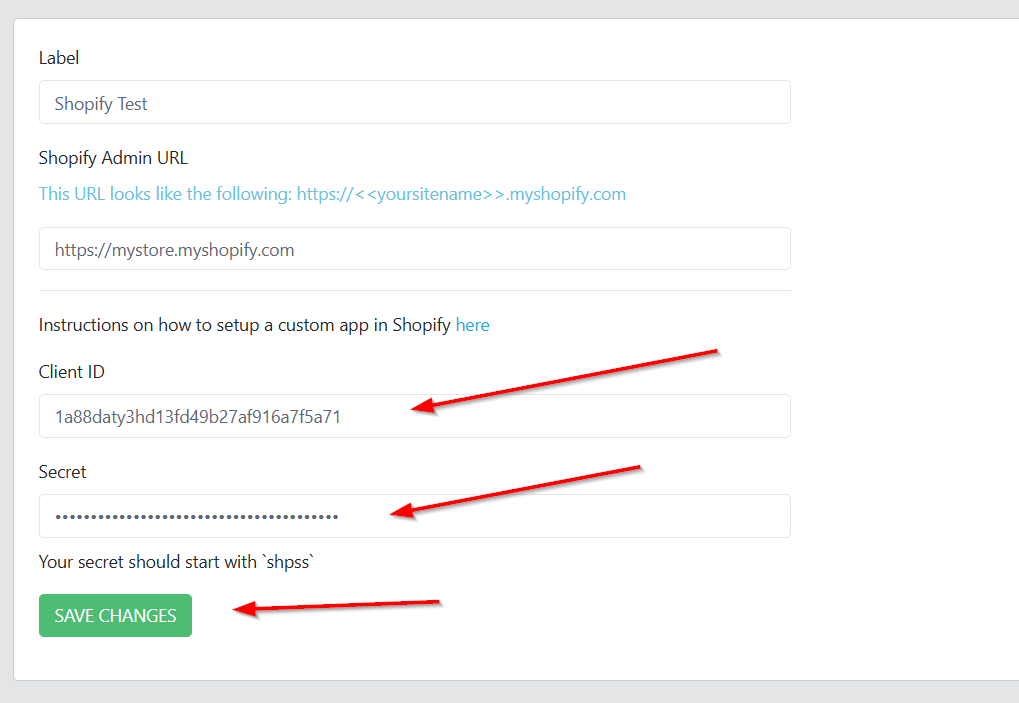
In Wbsync, click New Connection and select Shopify
Give the connection a meaningful name
Enter the admin store URL -> this looks similar to:
your-store-name
.myshopify.com
Allow Custom App Development
In your Shopify Admin, go to Settings > Apps > Develop apps, then click Allow custom app development (you only do this once).
Once app developemnt has been allowed, head to the Shopify Developer Dashboard:
https://dev.shopify.com/dashboard
From your
Shopify
dev dashboard, click click
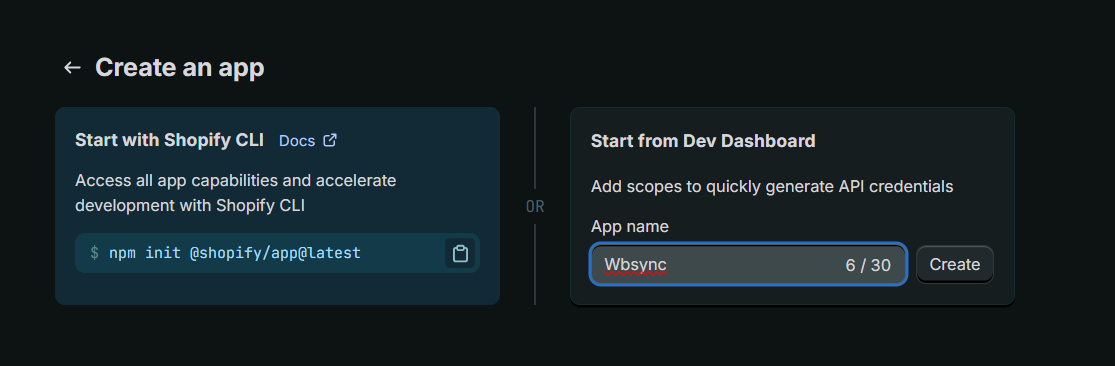
Create App
Enter a name (any name is fine)
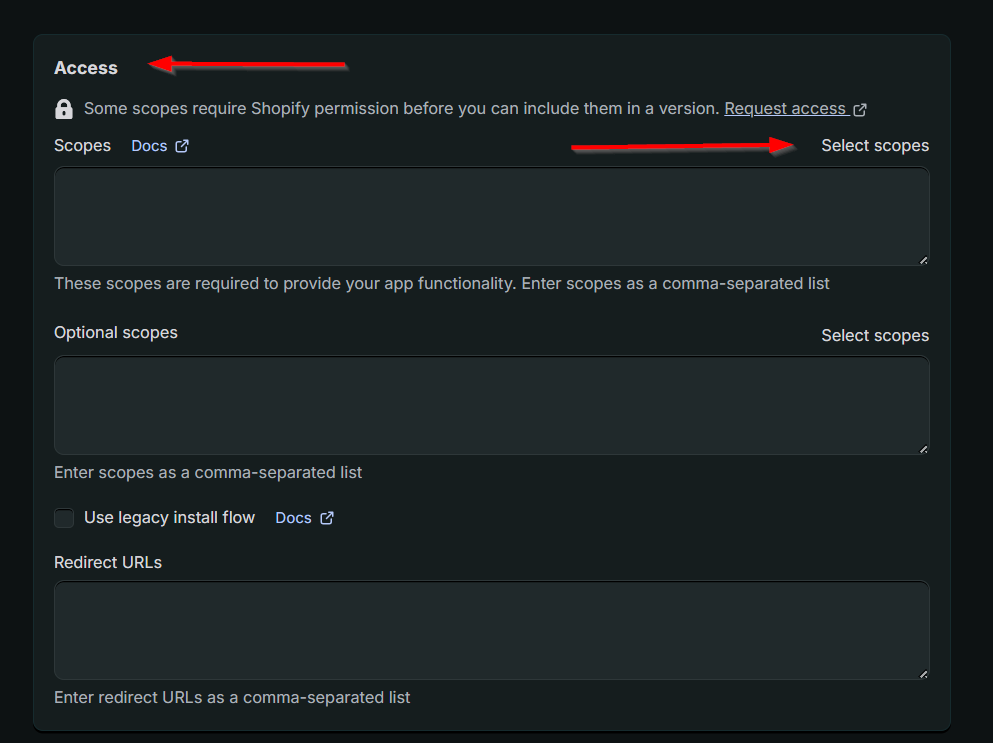
Once the app is created, scroll down to Access and click
Select scopes
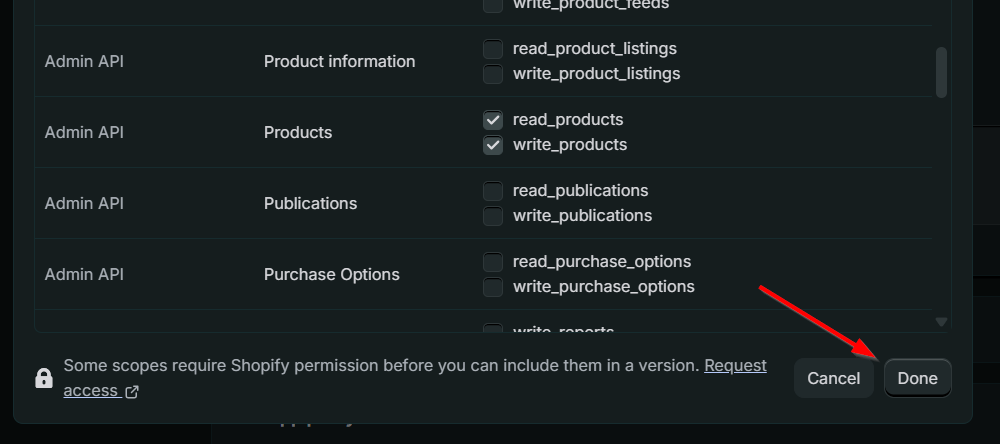
Allow the follwoing scopes:
read_customers
write_inventory
read_inventory
write_locations
read_locations
read_orders
read_products
write_products
Click
Done
at the bottom of the scopes list
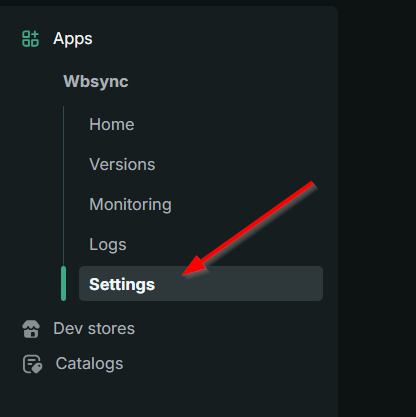
Click
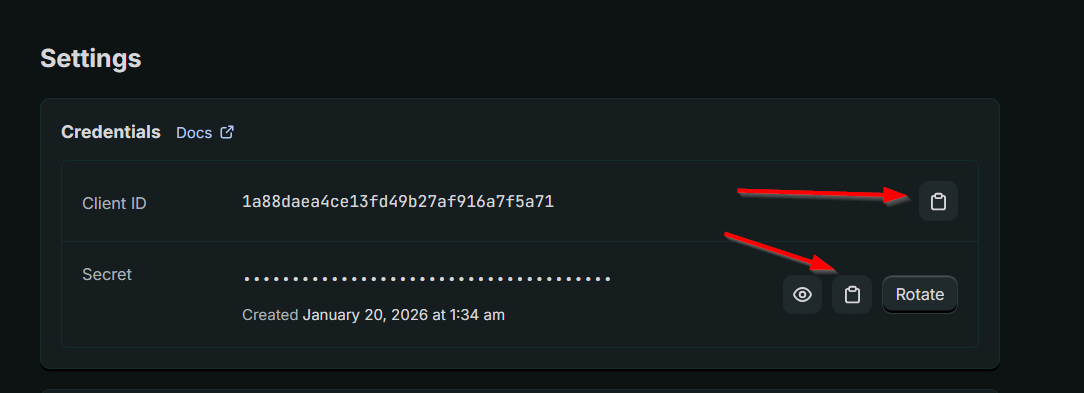
Settings
from the menu on the left
Copy and past the Client ID and Secret into the Shopify Wbsync Connection you created earlier
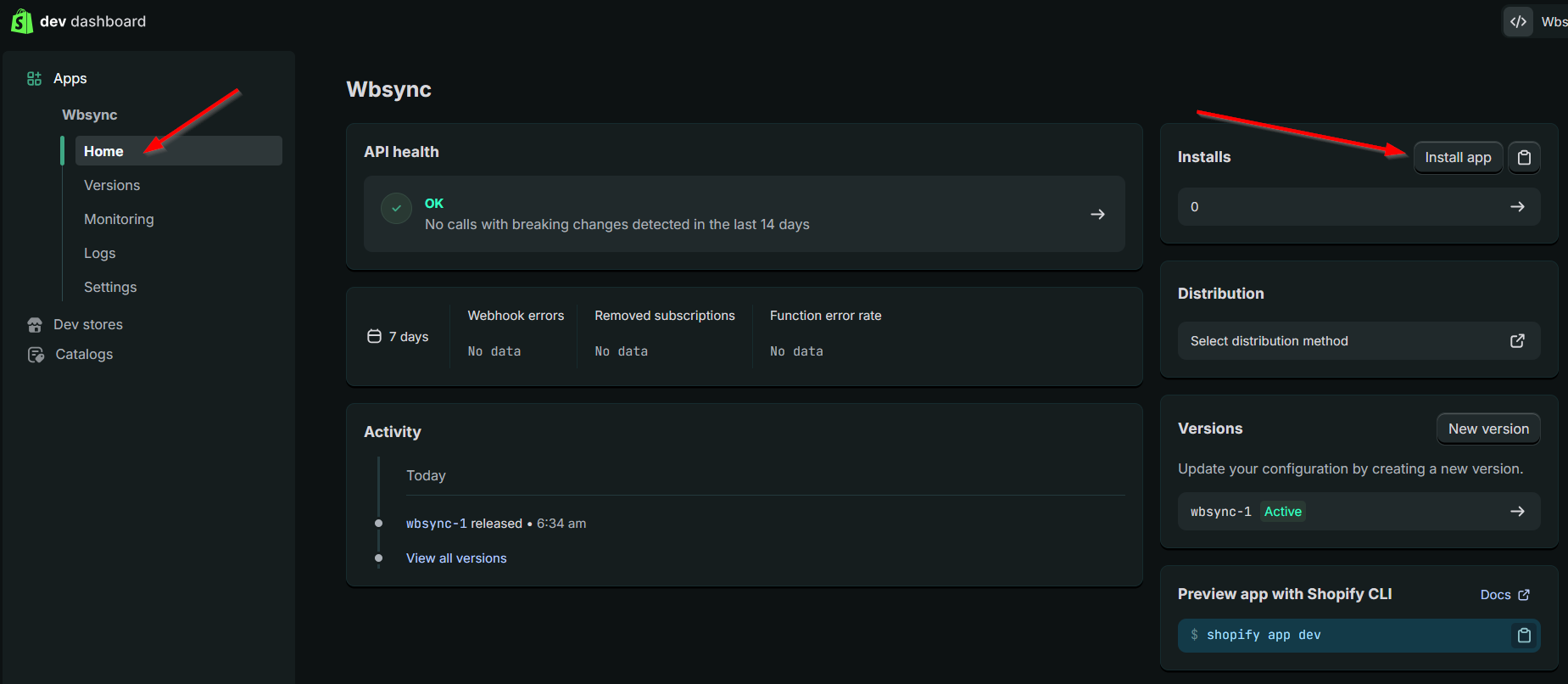
Go to the Home menu and click the
Install app
button
If you need to, select the store you wish to install the app to
Allow any permissions Shopify asks for
This completes the Shopify setup